Website security services can help businesses protect their websites from common risks such as unauthorized access, outdated software, malicious traffic, data loss, and compromised administrator accounts.
Website Security Services Start With Strong Security Basics
A business website may contain contact forms, customer information, login credentials, integrations, plugins, analytics tools, and other systems that require ongoing protection.
However, website security is not a one-time task completed when the site launches. Software changes, new vulnerabilities appear, users change, and websites gain new features over time.
Therefore, businesses should combine basic protections with regular monitoring and maintenance. Below are important website security measures every business should review.

1. Use HTTPS Across the Entire Website
HTTPS encrypts data sent between a visitor's browser and the website server. This protection matters when visitors submit forms, log in, make purchases, or send other information through a website.
Businesses should also check that images, scripts, fonts, and other resources load securely instead of mixing secure HTTPS pages with insecure HTTP resources.
A secure HTTPS configuration should include:
- A valid SSL/TLS certificate
- HTTPS redirects for insecure URLs
- No unnecessary HTTP resources
- Regular certificate monitoring
- Secure links inside website pages
HTTPS provides an important foundation, but it does not protect a website from every type of threat. Businesses still need updates, access controls, backups, monitoring, and other security measures.
2. Keep Website Software Updated
Outdated software can introduce avoidable security risks. Website platforms, themes, plugins, extensions, and server software may all receive updates that address vulnerabilities or other technical problems.
The NIST cybersecurity basics guidance recommends updating and patching software when new versions become available.
Therefore, businesses should not leave website software untouched for long periods simply because the site still appears to work.
Regular maintenance should review:
- Content management system updates
- Plugin and extension updates
- Theme updates
- Server software
- Deprecated or abandoned plugins
- Third-party integrations
Ongoing website hosting and management can help businesses keep important website components maintained instead of allowing updates to accumulate.
3. Remove Plugins and Tools You No Longer Need
Websites often collect plugins and integrations over time. Some may support old forms, discontinued marketing tools, unused page features, or previous design elements.
Even when an unused tool does not create an immediate problem, it adds another component that may require updates, monitoring, and review.
As a result, businesses should periodically ask:
- Do we still use this plugin or integration?
- Does another tool already provide the same function?
- Is the software still actively maintained?
- Does it still receive security updates?
- Can it be safely removed?
A simpler website environment can make maintenance easier and reduce the number of unnecessary components that need ongoing attention.
4. Protect Administrator Accounts With MFA
Administrator accounts often have permission to change website settings, install software, edit content, manage users, or access sensitive information.
Therefore, those accounts deserve stronger protection than a password alone.
CISA recommends requiring multifactor authentication wherever possible, especially for privileged and administrative access.
MFA adds another verification step if someone obtains or guesses a password. In addition, businesses should remove administrator access when employees or contractors no longer need it.
5. Limit Website Access Based on Responsibility
Not every person who works on a website needs full administrator privileges.
For example, someone who only publishes blog articles may not need permission to install plugins, change security settings, or create new administrator accounts.
The FTC's Start with Security guidance recommends limiting access to sensitive information based on actual business need.
Consequently, businesses should assign appropriate roles and review user accounts periodically.
Access reviews should look for:
- Former employees
- Former contractors
- Old agency accounts
- Unused administrator accounts
- Shared login credentials
- Users with more access than they need
6. Maintain Reliable Website Backups
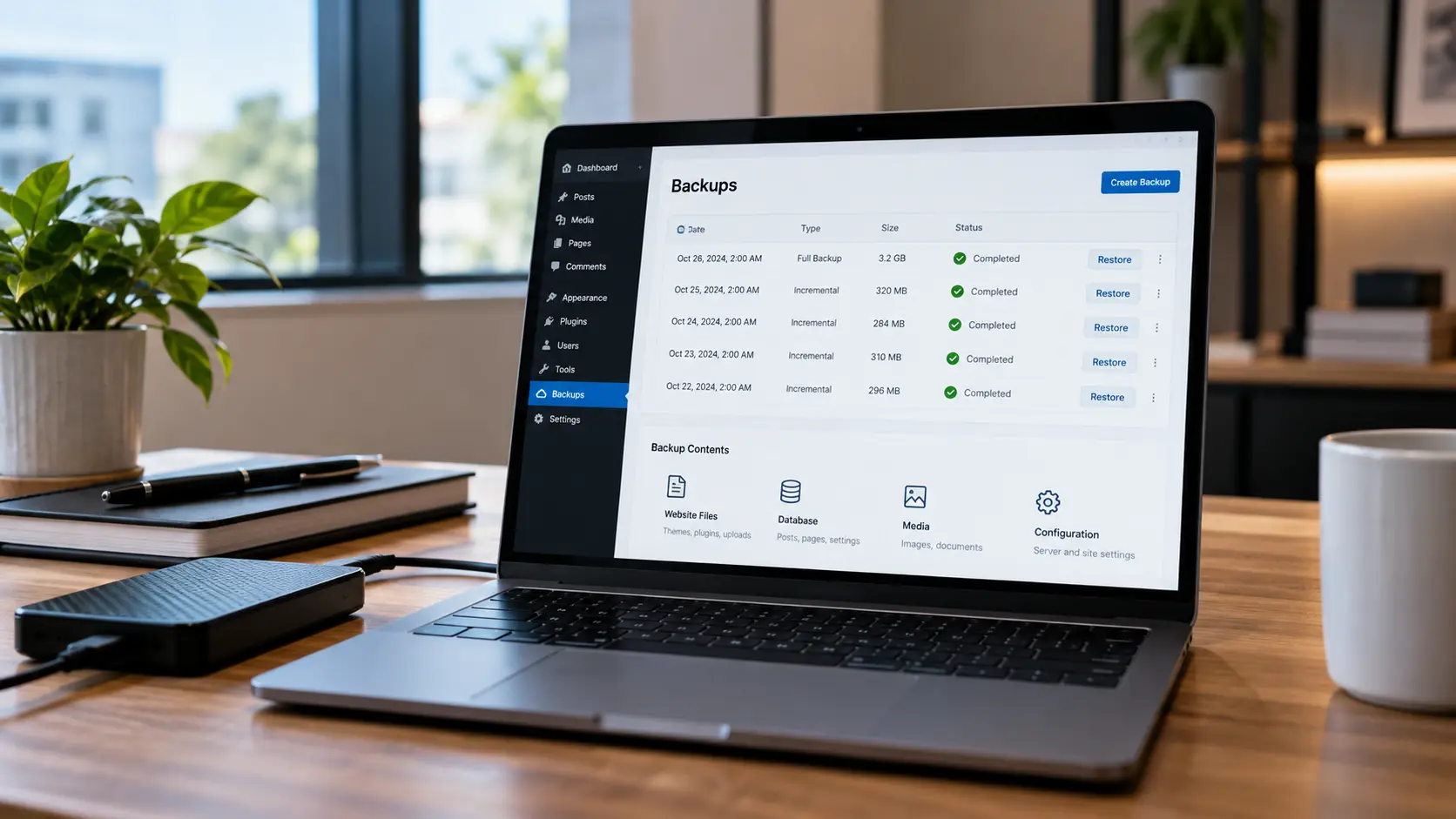
Website backups provide a recovery option when something goes wrong.
A site may need restoration after a failed update, accidental deletion, server problem, malware incident, or another unexpected event.
NIST recommends regular backups and advises businesses to protect and test those backups rather than assuming they will work when needed.
A useful backup strategy should consider:
- Website files
- Website databases
- Backup frequency
- Backup retention
- Secure storage locations
- Restoration testing
In addition, businesses should avoid keeping the only usable backup in the same place as the live website when possible.
7. Monitor the Website for Security Problems
Website security monitoring can help identify unexpected changes or technical issues before they remain unnoticed for long periods.
Depending on the website, monitoring may include:
- Website uptime
- Unexpected file changes
- Failed login activity
- Software vulnerabilities
- Malware indicators
- Unusual traffic patterns
- SSL/TLS certificate status
Monitoring alone does not prevent every security issue. However, it can help businesses recognize when something requires investigation.
Professional website security monitoring can be especially useful for businesses that do not have someone checking the website regularly.
8. Add Appropriate Web Security Headers
HTTP security headers give browsers instructions about how website content should behave. Proper configuration can add protection against several classes of browser-based attacks.
The OWASP HTTP Security Response Headers Cheat Sheet explains headers that can help reduce risks such as clickjacking, cross-site scripting, information exposure, and unsafe content handling.
Depending on the website, useful controls may include:
- Content Security Policy
- Frame restrictions
- Content type protections
- Referrer policies
- Secure caching rules for sensitive responses
However, security headers require careful configuration. An overly restrictive policy can break legitimate website functions, so businesses should test changes before applying them broadly.
9. Protect Contact Forms and Other Inputs
Forms create an important connection between website visitors and the systems processing their information.
Therefore, websites should validate submitted data, use appropriate spam protection, and avoid collecting information the business does not need.
If a website collects personal or sensitive information, businesses should also consider how that information moves through email, databases, integrations, and third-party services after submission.
The FTC advises businesses to protect sensitive information throughout its lifecycle rather than focusing only on the moment it enters the website.
Review our guide to website contact form optimization for additional guidance on form usability, validation, email delivery, and submission testing.
10. Use Strong Password and Account Practices
Weak, reused, or shared passwords can increase the risk of unauthorized account access.
Businesses should use unique passwords for website administration, hosting, domain registration, email, analytics, and other connected services.
In addition, password managers can make unique credentials easier to maintain without relying on repeated passwords across multiple accounts.
NIST's cybersecurity guidance recommends strong passwords and the use of a password manager where appropriate.
Most importantly, businesses should avoid sharing one administrator account among several people when individual accounts are available.
11. Review Third-Party Integrations
Business websites often connect with external platforms for forms, payments, email marketing, analytics, appointment scheduling, customer support, advertising, and other functions.
Each integration introduces another system that may receive data or gain some level of access to the website.
Therefore, businesses should periodically review:
- Which third-party services are connected
- What information they receive
- Which accounts can access them
- Whether integrations are still needed
- Whether tokens or credentials should be replaced
The FTC also recommends evaluating service providers and setting reasonable security expectations when vendors handle sensitive information.
12. Keep the Website Fast Without Sacrificing Security
Security and website performance should support each other. Businesses should not disable useful protections simply because a security tool adds some processing overhead.
At the same time, poorly configured security plugins, repeated scans, excessive scripts, or unnecessary tools can contribute to performance problems.
Therefore, businesses should review both website security and performance when configuring hosting, caching, plugins, and monitoring tools.
Our guide to the factors affecting website speed covers common performance issues including images, scripts, plugins, hosting, caching, fonts, and third-party tools.
13. Create a Website Recovery Plan
Backups are important, but businesses also need to know what they will do if a website becomes unavailable or compromised.
A basic recovery plan may identify:
- Who should be contacted first
- Who has hosting access
- Who controls the domain
- Where backups are stored
- How the website can be restored
- Which passwords or credentials need to change
- Which customers or partners may need notification
The FTC recommends creating an incident response plan as part of broader business cybersecurity preparation.
Consequently, recovery planning should happen before an incident occurs rather than while the business is already dealing with one.
14. Review Website Security Regularly
Website security changes over time. New plugins get installed, employees leave, integrations change, and software updates introduce new settings.
For that reason, businesses should perform periodic security reviews instead of assuming yesterday's configuration still provides the right protection today.
A Website Security Review Should Check:
- HTTPS and certificate status
- Software updates
- Administrator accounts
- MFA settings
- Unused plugins and integrations
- Website backups
- Security monitoring
- Contact forms
- Security headers
- Recovery procedures
Regular reviews can help identify outdated accounts, unnecessary software, configuration issues, and missing protections before those problems remain unnoticed for months.
When Professional Website Security Services Make Sense
Some businesses have internal staff who can manage website updates, access controls, backups, monitoring, and recovery planning. Others may not have enough time or technical resources to handle these tasks consistently.
Professional website security services may be useful when:
- Website updates are frequently delayed
- No one regularly checks backups
- Several people have administrator access
- Old plugins or accounts remain active
- The website has experienced malware or unauthorized changes
- Security alerts are not reviewed consistently
- The business needs ongoing website management
In these situations, managed website security can provide a more structured process for maintenance, monitoring, backups, access, and technical support.
Website Security Services Require Ongoing Attention
Website security services work best when they combine several layers of protection rather than relying on one plugin, password, or security feature.
HTTPS, software updates, MFA, access controls, backups, monitoring, secure forms, and recovery planning each address different risks. Together, they create a stronger foundation for a business website.
Most importantly, businesses should review security regularly as their websites, users, technologies, and online services change.
Need Help Keeping Your Business Website Secure and Maintained?
If website updates, backups, monitoring, access controls, or ongoing maintenance are difficult to manage internally, professional website support can help keep important tasks from being overlooked.
Zen Web Services can review your website, hosting, software, maintenance needs, backups, and technical setup to identify areas that may need attention.
Request a Free Website Assessment